
Free & open source Windows 10 / 11 No telemetry

See what's eating your disk.
Clean it up safely.

Diskat scans millions of files in seconds, puts the heaviest folders on top and lets you send them to the Recycle Bin with a single key.

Single portable .exe · 64-bit · No installer, no .NET needed

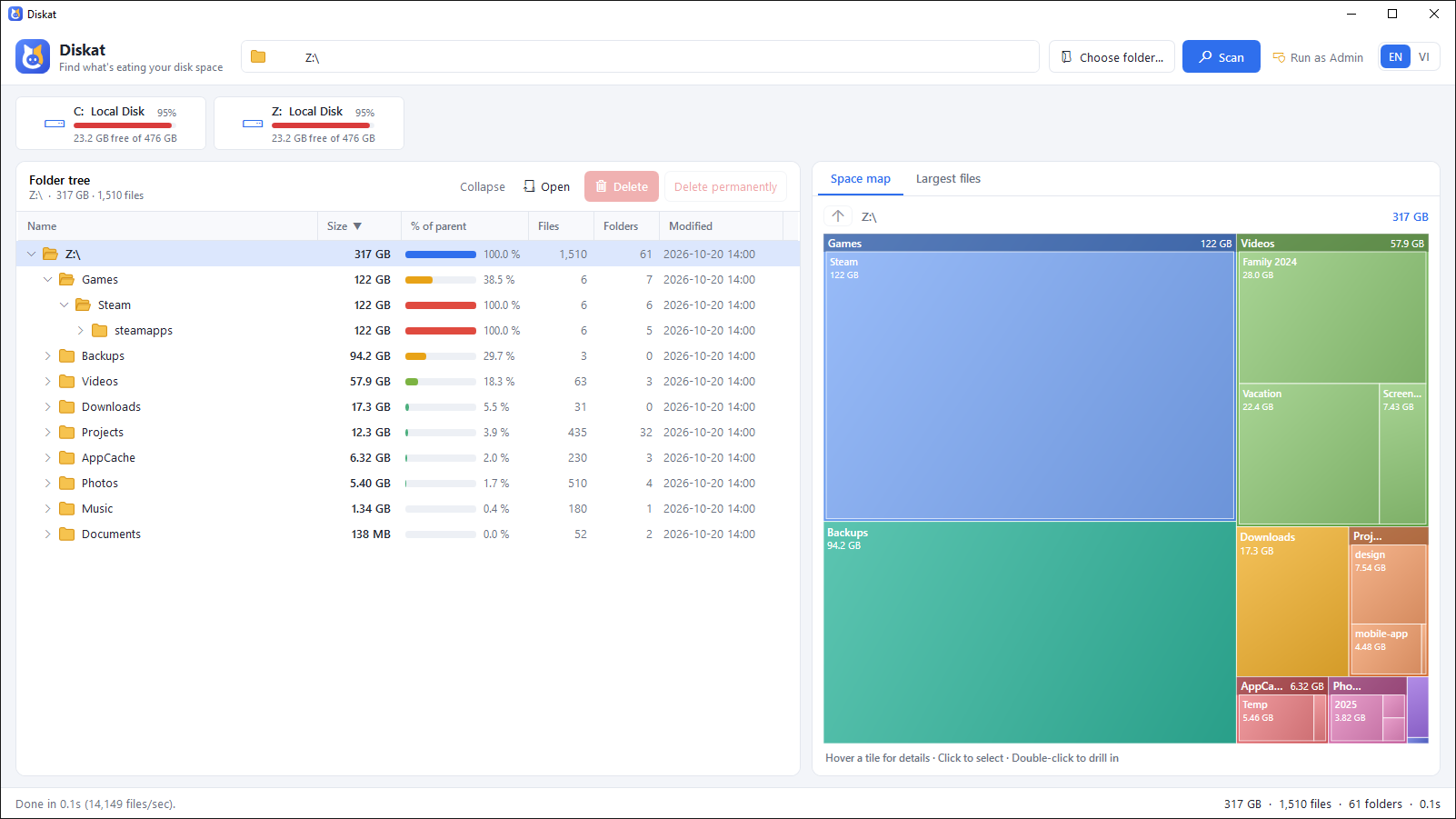
Diskat window: folder tree sorted by size on the left, colorful space map on the right
~15 sto scan 2 million files*
0network calls or telemetry
2languages: English & Tiếng Việt
1portable file, nothing to install

* Full scan of a 430 GB system drive on a laptop SSD, without admin rights.

Features

Everything you need to free up space, nothing you don't

Point Diskat at a drive or folder. A few seconds later you know exactly where your storage went.

Parallel scanner

Many threads read folders at once with almost no memory per file. Results stream in live while it scans.

Space map

A treemap where every tile is sized by how much room it takes. Click to select, double-click to dive in.

Sorted folder tree

Heaviest first, with “% of parent” bars, file counts and dates. Sort by any column, navigate with the keyboard.

Largest files

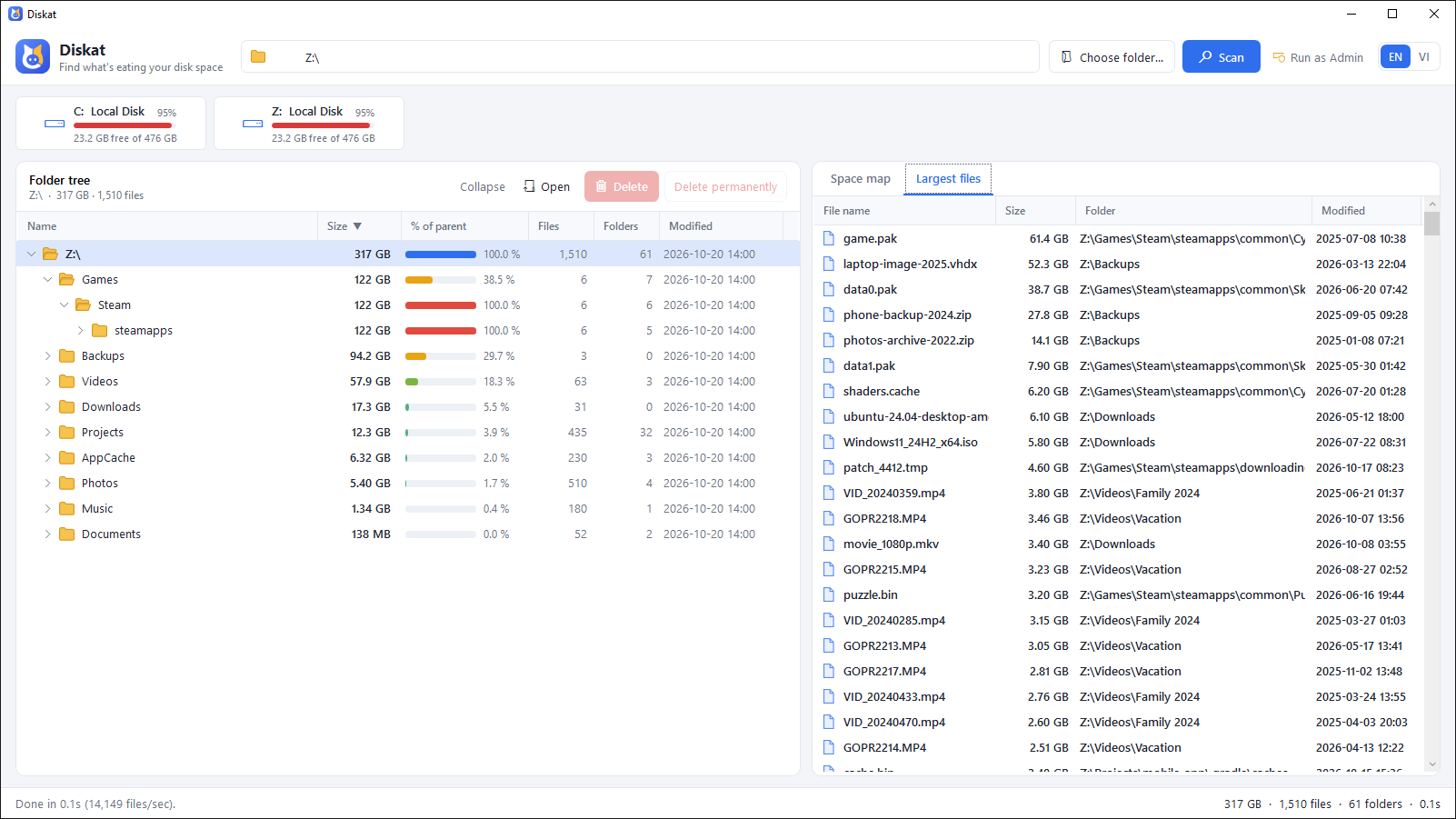
The 500 biggest files on the whole drive in one list: old ISOs, videos, backups. Select several and delete at once.

Delete in place

Press Del to move to the Recycle Bin or Shift+Del to erase. Totals update instantly, no rescan.

Run as Admin

One click restarts Diskat elevated so protected system folders are measured too. Never elevates on its own.

Screenshots

Clear at a glance

Whole drive overview
Scan a whole drive and see the heaviest folders first.
Largest files list
The biggest files anywhere on the drive, with their folders.
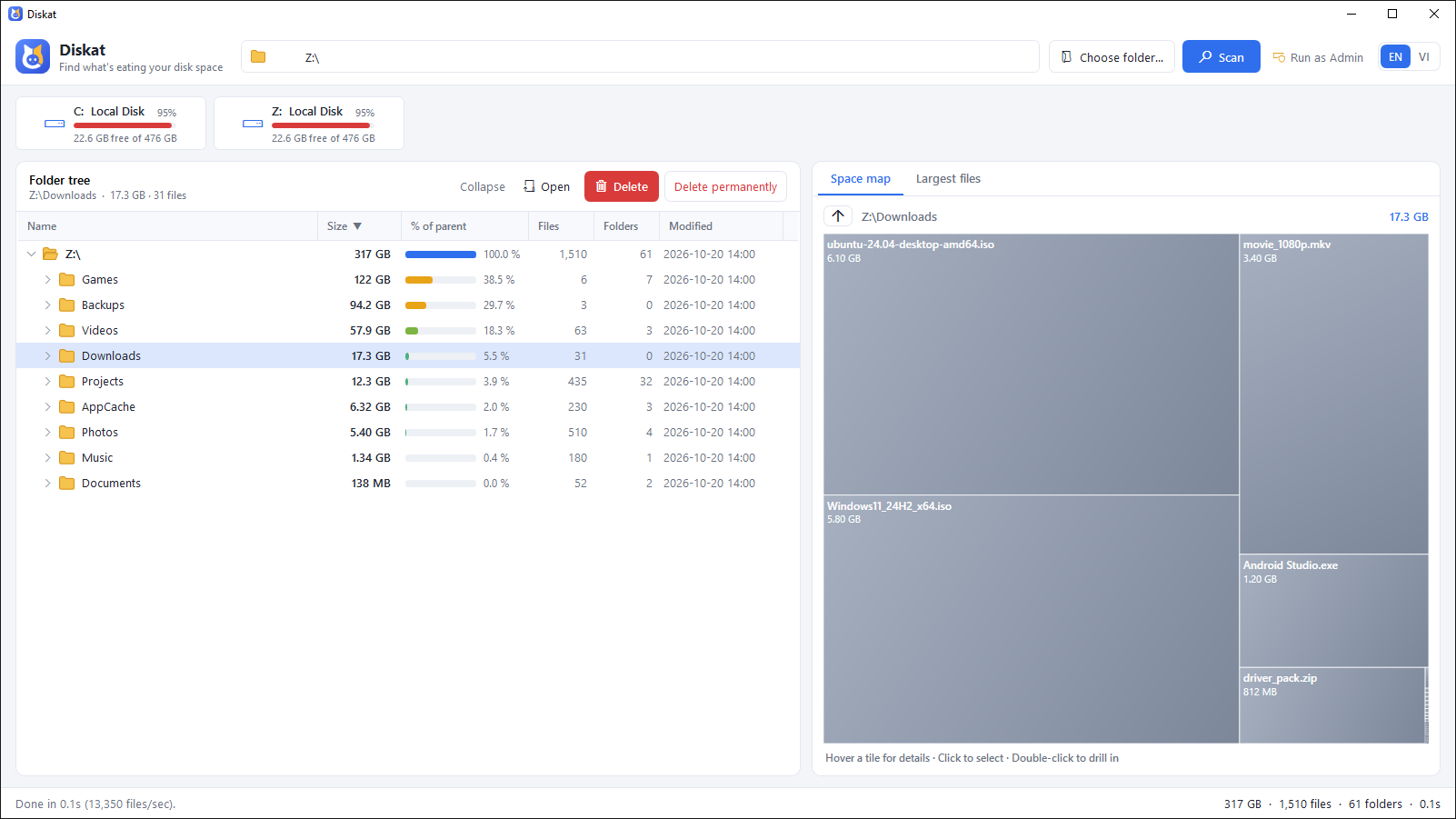
Space map of the Downloads folder
The space map shows every file and folder by size.
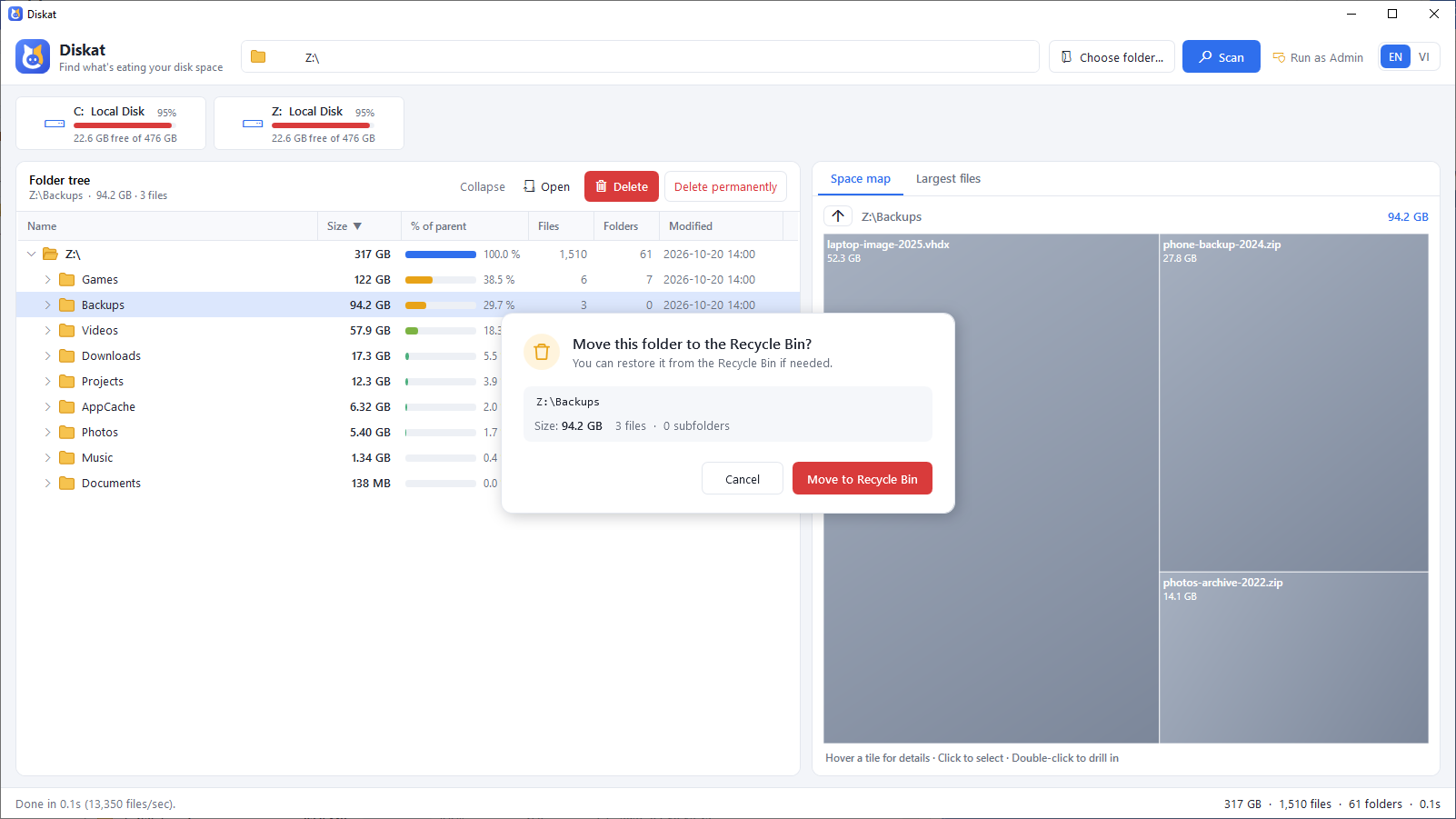
Delete confirmation dialog
Every delete is confirmed, and goes to the Recycle Bin by default.
Safety first

Built to never delete the wrong thing

Disk cleaners are only useful if you can trust them. Diskat is careful by default.

  • Recycle Bin by default, with a confirmation that shows the full path and size.
  • Drive roots, Windows, Program Files, ProgramData, AppData and every user profile root are locked, even through subst drives or junctions.
  • Junctions and symlinks are never followed: no double counting, no deleting through a link.
  • Warns you when a folder wasn't fully scanned, so a “0 B” folder is never a surprise.
  • Fully offline and open source: read every line of code that touches your files.
Diskat asking for confirmation before moving a folder to the Recycle Bin
Compare

How Diskat stacks up

There are great tools in this space. Here is an honest look at where Diskat fits.

Diskat WinDirStat WizTree TreeSize Free SpaceSniffer
Price Free Free Free for personal use, paid for business Free for private, non-commercial use; paid editions from €20.40/user/year Freeware (donations welcome)
Open source Yes Yes (GPL-3.0) No No No
Treemap Yes Yes Yes Yes Yes
How it scans Parallel folder scan; works on any drive and network shares Folder scan; faster NTFS scanning when run as admin Reads the NTFS Master File Table directly (fastest on NTFS) Not stated Not stated
Focus Simple and safe: find big stuff, delete it, done Power-user toolbox: duplicates, permissions, recovery, reports Raw speed on large NTFS drives Reports and enterprise storage management (paid editions) Treemap-first exploring with filters and tags
Vietnamese UI Yes Not stated Not stated Not stated Not stated

“Not stated” means the vendor's website doesn't say. Information checked on the official sites in October 2026; please tell us if anything is out of date.

Choose Diskat if…

you want a clean, fast, free tool you can trust with deletes, that you (or your company) can use and audit without buying a license.

Choose another tool if…

you need the absolute fastest full-drive NTFS scan (WizTree), duplicate finding, permission audits or file recovery (WinDirStat), or PDF reports (TreeSize).

Current Diskat limitations: sizes are logical (not size on disk), hard links are counted once per link, Windows x64 only.

Changelog

What's new

v1.0.0

Latest

First public release.

Added

  • Multi-threaded scanner with live results and heaviest-first sorting.
  • Folder tree with “% of parent” bars, two-level space map and Largest files list.
  • Delete to Recycle Bin or permanently, and per-folder rescan with F5.
  • Run as Admin, drive overview cards, command-line folder argument.
  • English and Vietnamese interface.

Safety

  • Protected system and profile folders, checked against the real path.
  • Never follows junctions or symlinks, when scanning or deleting.
  • Refuses names ending in a dot or space, which Windows would resolve to a different item.

Full changelog on GitHub →

FAQ

Questions

Windows says “Windows protected your PC”. Is Diskat safe?

The download isn't code-signed yet, so SmartScreen warns about any new app. Click “More info” then “Run anyway”. The full source code is on GitHub if you want to check it or build it yourself.

Is it really free? Can I use it at work?

Yes. Diskat is free and open source, for personal and commercial use. There are no ads, accounts or paid tiers.

Does Diskat send any data?

No. It never connects to the internet. The only thing it saves is your language choice, on your own PC.

Do I need administrator rights?

No. Without admin rights a few protected system folders can't be read and are marked as blocked. Click “Run as Admin” if you want them counted too.

Can I undo a delete?

Items deleted with Del go to the Recycle Bin, so you can restore them from there. Shift+Del erases permanently and can't be undone.

Which Windows versions are supported?

Windows 10 and Windows 11, 64-bit. The exe is self-contained: no installer and no .NET runtime needed.

Free up space in the next five minutes

Download Diskat, pick a drive, delete what you don't need.